
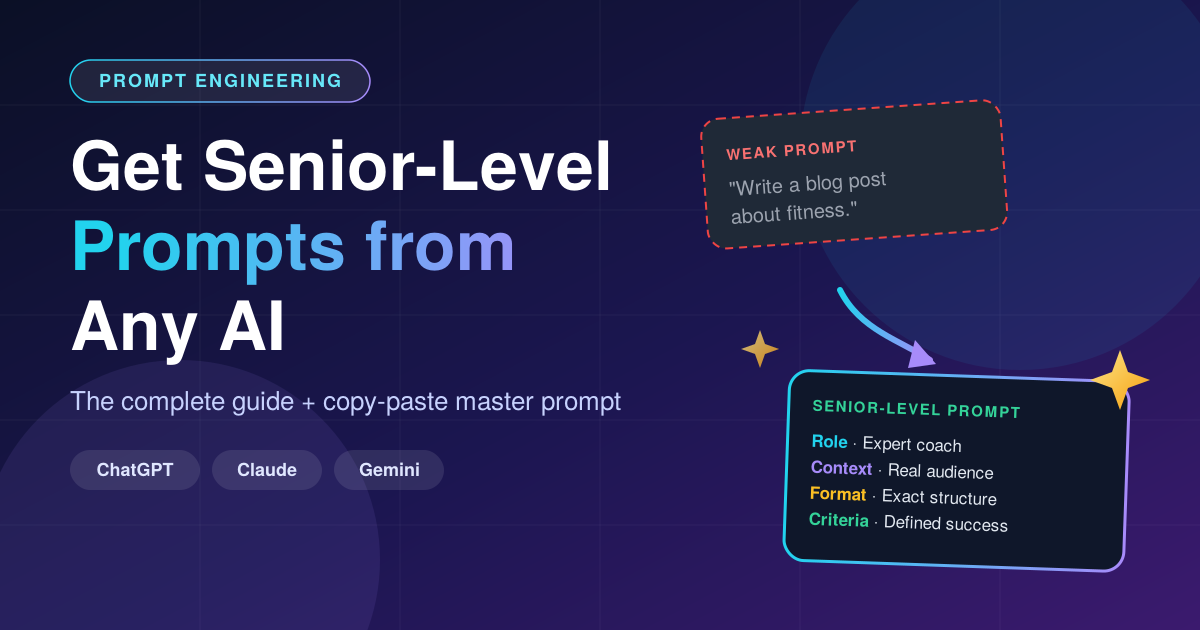
Stop getting weak, generic prompts. Learn the exact method professionals use to make AI write powerful, precise, production-ready prompts.
Introduction: The Prompt Paradox
Here is a funny problem. You ask an AI: “Write me a great prompt for writing a business plan.” It replies with something like:
“Write a detailed business plan for a company, including market analysis, financial projections and marketing strategy.”
Congratulations, you just received a prompt that a first-day intern could have written. It has no role, no audience, no constraints, no quality bar, and no output format. And when you run it, you get a boring, generic business plan that sounds like every other business plan on the internet.
So what went wrong? The AI did exactly what you asked, with exactly the information you gave it. The quality of a prompt the AI writes is capped by the quality of the request you made to write it.
In this guide you will learn how senior prompt engineers get expert-level prompts out of any AI model, whether it is ChatGPT, Claude, Gemini, Grok, Llama or anything else. The techniques are model-independent, because they rely on how language models work, not on a specific product.
Why AI Writes Weak Prompts (The 5 Root Causes)
Before fixing the problem, understand it.
1. Your request was vague
AI models predict the most probable useful answer. A vague request gets the most average answer. “Write a prompt for X” has millions of possible interpretations, so the model picks the safest, most generic one.
2. The AI has no context about you
The model does not know your industry, your audience, your skill level, your tone, or what “good” looks like for you. Without that, it fills the gaps with generic assumptions.
3. You never defined success
If you do not say what a great result looks like, the model cannot aim at it. Senior prompts always contain acceptance criteria.
4. No constraints
Constraints (length, tone, things to avoid, format) are what turn a generic answer into a specific one. A prompt with no constraints is like a brief with no deadline, budget or audience.
5. You accepted the first draft
Professionals almost never use the first output. They iterate. The first answer is a starting point, not the product.
The Senior-Level Mindset: Stop Asking, Start Briefing
Junior users ask the AI. Senior users brief the AI, the same way a creative director briefs a designer or a CTO briefs an engineer.
A good brief answers six questions:
| Element | Question it answers | Example |
|---|---|---|
| Role | Who should the AI be? | “You are a senior B2B SaaS copywriter with 15 years of experience.” |
| Context | What is the situation? | “We sell project-management software to construction firms with 20–200 staff.” |
| Task | What exactly must be done? | “Write a cold email sequence of 3 emails.” |
| Format | What should the output look like? | “Subject line, body under 120 words, one clear CTA.” |
| Constraints | What are the rules and limits? | “No buzzwords, no exclamation marks, no fake urgency.” |
| Criteria | How will success be judged? | “A busy site manager should understand the value in 10 seconds.” |
This is often called the RCTFCC framework (Role, Context, Task, Format, Constraints, Criteria). Memorize it. Everything else in this guide builds on it.
The Core Trick: Make the AI Interview You First
This is the single most powerful technique, and most people never use it.
Instead of guessing what the AI needs, tell the AI to ask you questions before it writes the prompt. A senior consultant never starts work without a discovery call. Your AI should not either.
Weak approach:
“Write me a prompt for creating a marketing strategy.”
Senior approach:
“I want you to create an expert-level prompt for building a marketing strategy. Before you write it, ask me up to 8 questions about my business, audience, goals and constraints. Wait for my answers. Then write the prompt.”
The AI now gathers the exact details it was missing, and the resulting prompt is dramatically better.
The Master Meta-Prompt (Copy, Paste, Use)
A meta-prompt is a prompt whose job is to produce other prompts. Here is a battle-tested one. Paste it into any AI and replace the bracketed part.
You are a world-class prompt engineer with deep expertise in large language
models. Your job is to write a senior-level, production-ready prompt for me.

MY GOAL: [describe what you want the final prompt to achieve]

STEP 1 – DISCOVERY
Before writing anything, ask me 5 to 8 sharp questions about my audience,
context, desired tone, output format, constraints and definition of success.
Wait for my answers.

STEP 2 – BUILD
After I answer, write the final prompt using this structure:
- Role (specific, expert-level)
- Context (all relevant background)
- Task (clear, step-by-step if needed)
- Output format (exact structure)
- Constraints (what to do and what to avoid)
- Quality criteria (how to judge a great answer)
- 1 short example of an ideal output (if useful)

STEP 3 – SELF-CRITIQUE
Review your own prompt as a harsh expert. List its 3 weakest points,
then fix them and give me the improved final version.

STEP 4 – DELIVER
Give me only the final prompt inside a code block, followed by 2 tips
for using it effectively.
This works because it forces discovery, structure, self-critique and clean delivery in one flow.
10 Advanced Techniques That Separate Seniors from Beginners
1. Assign a specific expert role
“You are a marketer” is weak. “You are a former Head of Growth at a Series B fintech who specializes in reducing CAC for subscription products” is strong. Specific roles pull specific knowledge.
2. Give the AI your real context
Paste in real details: your product description, your audience, past work, your brand voice. The more real material, the less the AI invents.
3. Show, don’t just tell (few-shot prompting)
Include 1–3 examples of what you consider excellent output. Models imitate patterns extremely well. One good example beats a paragraph of description.
4. Use negative constraints
Tell the AI what to avoid: “Avoid clichés like ‘in today’s fast-paced world’. Do not use bullet lists. Do not exceed 200 words.” Negative constraints remove the generic filler that makes AI text obvious.
5. Define the output format precisely
Specify tables, headings, JSON, word counts, number of items. A format spec makes outputs predictable and reusable.
6. Break big tasks into steps
Complex requests fail when crammed into one sentence. Ask the AI to work in stages: plan first, then draft, then refine.
7. Ask for reasoning on hard problems
For analysis and decisions, ask the AI to think through the problem step by step before answering. This reduces shallow answers.
8. Add a self-review loop
End with: “Review your answer against the criteria above. Fix any weaknesses, then output the improved version.” It is like getting an editor for free.
9. Define the audience
“Explain to a CFO” and “explain to a 15-year-old” produce completely different answers. Always name who will read or use the output.
10. Iterate like a professional
Treat output as draft one. Reply with precise feedback: “Make the tone warmer, cut the intro by half, add a concrete example in section 2.” Each round multiplies quality.
Before and After: A Real Example
❌ The weak version
“Write a prompt to help me write a blog post about fitness.”
Typical AI output:
“Write a blog post about fitness that is informative and engaging, covering exercise, diet and lifestyle tips.”
This is generic. It will produce a generic article.
✅ The senior version
“Create an expert prompt for writing SEO blog posts for a fitness brand. Ask me questions first about my audience, tone and goals. Then build the prompt with role, context, task, format, constraints and success criteria. Finally, critique your own prompt and improve it.”
Resulting prompt (after the AI interviews you):
You are a certified strength-and-conditioning coach and senior SEO content writer with 10 years of experience writing for busy professionals. Context: our brand, FitDesk, serves office workers aged 28–45 who have under 30 minutes a day to train. Task: write a 1,500-word SEO article on “quick home workouts for desk workers” targeting the primary keyword “home workouts for beginners”. Format: H1, intro under 100 words, 5 H2 sections, a bullet checklist, a short FAQ, and a call to action. Constraints: friendly but credible tone, no medical claims, no clichés, short paragraphs, include one practical example per section. Success criteria: a beginner should be able to start a workout within 5 minutes of finishing the article.
Same AI. Same topic. A completely different level of result. The difference is entirely in the brief.
Common Mistakes to Avoid
- Being too short. Strong prompts are often 150–400 words. Length is fine when every sentence adds information.
- Being too long and messy. Rambling adds confusion. Structure beats volume.
- Contradicting yourself. “Be brief” and “cover everything in depth” fight each other.
- Skipping the audience. The AI cannot guess who you are writing for.
- Not testing. Run the prompt 2–3 times. If results vary wildly, tighten the constraints.
- Using one prompt forever. Improve your best prompts and save them as reusable templates.
Quick Checklist Before You Hit Enter
Use this 10-second check on any prompt:
- Does it give the AI a specific role?
- Does it include real context?
- Is the task unambiguous?
- Is the output format defined?
- Are there clear dos and don’ts?
- Is the audience named?
- Is there a success criterion?
- Did I include an example, if useful?
- Did I ask the AI to self-review?
- Am I ready to iterate?
If you answered “yes” to eight or more, your prompt is already better than most people’s.
Frequently Asked Questions (FAQ)
Why does ChatGPT give me bad prompts?
Because the request was underspecified. The AI fills in missing details with the most generic assumptions. Give it context, constraints and a discovery step, and the quality jumps.
Does this work with Claude, Gemini and other AI models?
Yes. These techniques rely on how language models process instructions, so they work across all major models. Small wording changes may help, but the framework stays the same.
What is meta-prompting?
Meta-prompting means using an AI to design, critique and improve prompts for another task. It is one of the fastest ways to reach professional-quality prompts.
How long should a good prompt be?
Usually 100–500 words for complex tasks. Short is fine for simple tasks. The rule is simple: include everything the AI needs and nothing it does not.
Do I need to learn “prompt engineering” as a career?
Not necessarily, but prompt skill is now a core professional skill, like writing or spreadsheets. It improves your results in marketing, coding, research, design and business.
Is there a perfect prompt?
No. The best prompt is the one you keep refining based on results.
Conclusion: The AI Is Only as Smart as Your Brief
When an AI hands you a weak prompt, it is not being lazy. It is mirroring the effort you put into the request. Senior-level users do three things differently: they give context, they make the AI ask questions first, and they force a self-critique before delivery.
Start today. Take the master meta-prompt above, paste it into your favorite AI, and watch the difference. Then save your best results and build your own personal prompt library. That library becomes a real competitive advantage.
The AI revolution is not about who has access to the tools. Everyone does. It is about who knows how to brief them like a professional.
Found this guide useful? Share it with a colleague who is still getting generic AI answers, and bookmark it for your next prompt.
Pingback: 25 Best ChatGPT Prompts for Students (Copy & Paste, 2026)